Icon of program: MoviePod

MoviePod for Windows

  • Trial version
  • 3.9
    48
  • 70.2K
  • V1.0
Download for Windows

View an ad to download for free

Your movies, your iPod

Looking forward to watching movies on your iPod? If they're not in the MPEG4 format or have the correct resolution then you won't be able to. MoviePod converts a number of video formats to make them iPod ready in seconds.

Unlock your creativity with Adobe Stock

Get 10 images or 1 video with a free trial

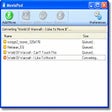
Just select your video, by either pressing the 'Add Movie' button in the menu bar or dragging the file onto the program's interface. MoviePod will automatically convert them to iPod ready MPEG4. You can preview them to see if you're satisfied with the quality and save them in an iTunes playlist.

MoviePod handles the most common video formats, including MOV, AVI and WMV. You'll be able to choose from four different screen resolutions. Thanks to two menu bars, you can adjust audio and video quality settings, however, we didn't find these particularly precise. The quality of the videos is always up to par to, so you'll have to make a number of tests before you fully satisfied. Also, since the program automatically converts videos we weren't sure when the preferences we set affected all videos or just the ones selected.

Although limited in terms of quality, MoviePod manages to convert many video files to iPod-ready format in one go.


  • Pros

    • Add movies to iTunes playlist
    • All automatic
  • Cons

    • Audio and video quality setting not precise
 0/1

App specs

Also available in other platforms

Program available in other languages


Icon of program: MoviePod

MoviePod for PC

  • Trial version
  • 3.9
    48
  • 70.2K
  • V1.0
Download for PC

View an ad to download for free


User reviews about MoviePod

3.9

3 reviews

Add review

Main reviews for you

  • Anonymous user

    50/50. It is really easy to use. Just click & drag files over from Real Player to Movie Pod. It syncs it automatically. Boom connect your Ipod and it is on there. Pros: Really easy to use Cons: I used it once and it will not work any more.

  • Anonymous user

    Does not work.. does not let you convert videos, when you try a warning message appears. It says you must 'register with moviepod' but never lets you register. Slows down your computer also.

  • Anonymous user

    Great. The program is fast and easy to use. It saved me alot of time from converting the files to itunes. I program helps save tons of time. Pros: It was fast

More

You may also like

Alternatives to MoviePod

Explore Apps

Latest articles

Laws concerning the use of this software vary from country to country. We do not encourage or condone the use of this program if it is in violation of these laws.
Softonic

Is MoviePod safe?

100/100

Score result: Clean

This file passed a comprehensive security scan using VirusTotal technology. It is safe to download.

  • Virus free
  • Spyware free
  • Malware free
  • Verified by Security Partners

    VirusTotal logo

Scan Info

Last scan
Saturday, December 23, 2023
Scan provider
VirusTotal · Full report

File Integrity

File
MoviePod-Windows.zip
SHA256
9778f97da5e06c8f2c5ed54088430ddb29f274a1e28f7268acc327e5a38aca55
SHA1
7bcd2d78772e7f85b3c4b6087f049605e368c81d

Softonic security commitment

MoviePod has been thoroughly scanned by our advanced security systems and verified by industry-leading partners. This file comes from the official developer and has passed all our security checks, showing no signs of viruses, malware, or spyware. For more information, visit our Security and Trust Center

Signed in to Softonic as